Animation
A single static sprite rarely sells movement; cycling through the frames of a sprite sheet at a steady rate is what actually makes a character look like it's walking or attacking.
Overview
Animation is contained in the header "remake2d/texture.hpp", inheriting from Sprite. It cycles automatically through evenly spaced
frames of a sprite sheet, clipping the underlying texture to the current frame on every call to play.
Methods
void play(i8 loop = 0, u8 fps = 12); // start the animation
void pause(void)  noexcept;          // pause on the current frame
void resume(void) noexcept;          // resume after pause
void stop(void)   noexcept;          // stop and reset to the first frame

Signal<> onRepeat; // emit when animation remaining
Signal<> onFinish; // emit when animation ended (in last remaining)
Usage
Creating an animation
Animation(std::string_view path, const Rectangle& shape,
          u8 total_clips, Dim2d clip_size,
          Vec2d start_pos = {0, 0}, u8 spacing = 0);
total_clips: number of frames in the sheet.clip_size: size of a single frame.start_pos: top-left position of the first frame in the sheet.spacing: gap between frames, if any.
Playing an animation
Play must be called every frame for the animation to advance; it takes a loop count and a playback speed in frames per second:
loop:0plays once, a positive number repeats that many times,-1loops forever.
Drawing an animation
Since Animation inherits from Sprite, it draws exactly the same way:
Pausing and stopping
Pause freezes on the current frame without resetting, while stop resets back to the first frame entirely:
Info
Calling play again after stop restarts the animation from its first frame, exactly as if it had never played before.
Example
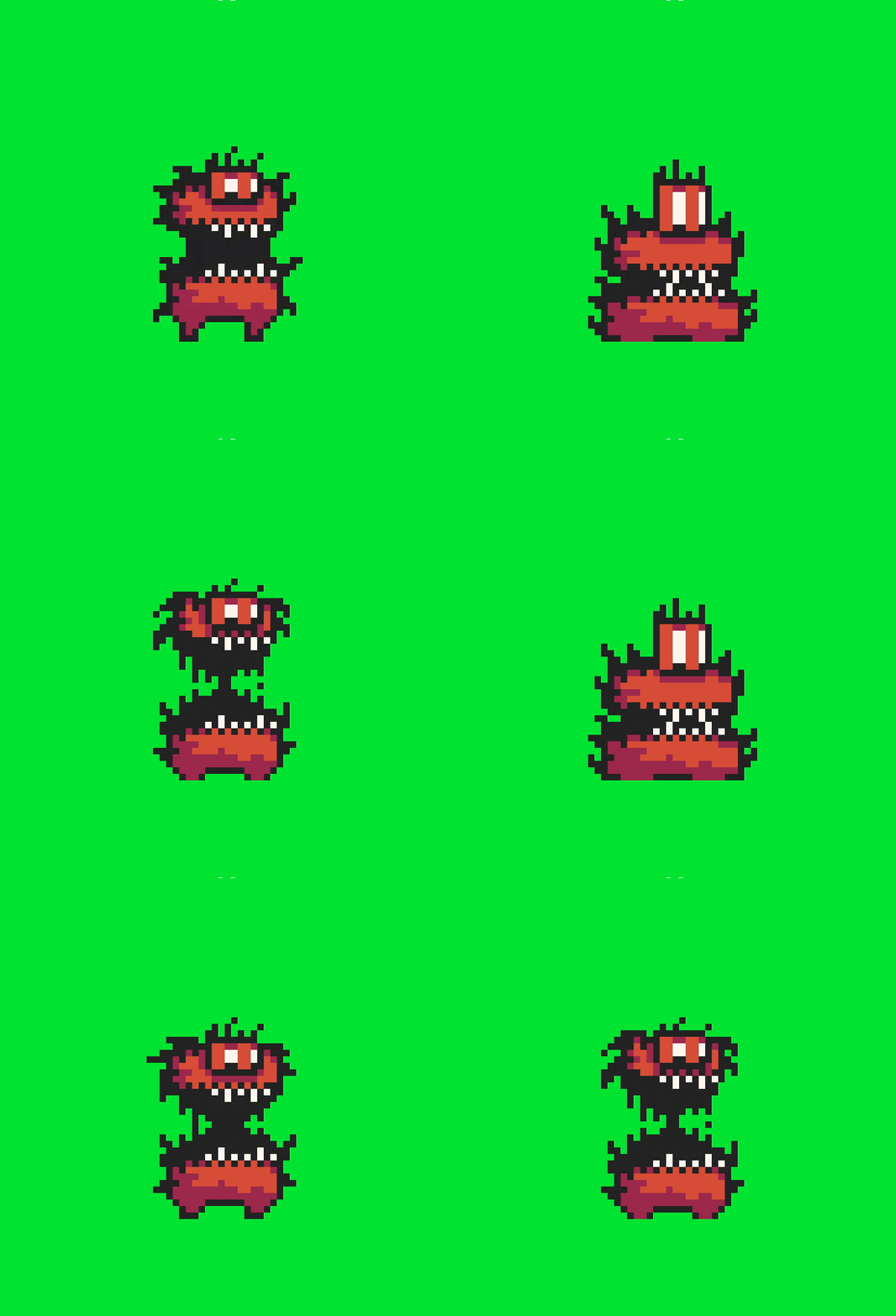
To more easily illustrate their use, we will use this simple code example and a free animation from Pixel Studio. You can download the animation sheet here .

#include <remake2d/all/everything.hpp>

int main () {
    rmk::Window win;

    rmk::Animation anim(
            "texture3.png",                 // path to animation sheet
            {win.center(), {320, 360}},     // Printing rectangle
            4,                              // 4 clips
            {32, 36},                       // clip size
            {0, 0}                          // clip position
    )

    anim.play(-1, 8);                       // infinity loop + 8 fps speed

    rmk::loop.execute(win, [&] (){
        win.clear(rmk::color::green);       // clear screen on green
        win.draw(anim);                     // draw current clip
    });

    rmk::loop.update();     // launch app
}
result: